
 PayNow feature tour
Guest checkout for eStatements makes payments even faster
PayNow Merchant Portal customers now have exclusive features available with eStatements to help streamline advertiser payments. Scroll down to see everything new.
Screen 1 of 5
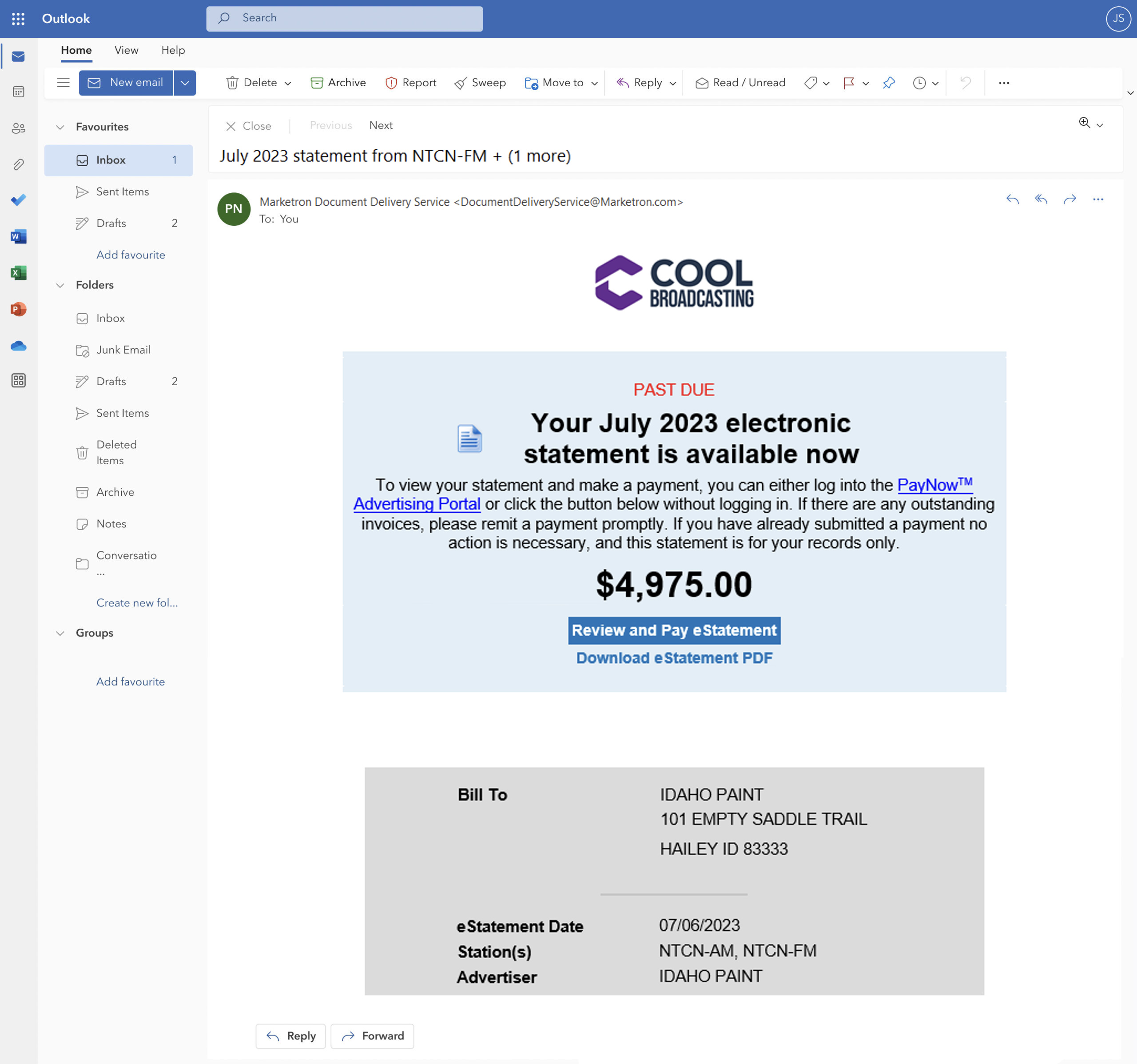
Reimagined eStatement email
Advertisers will receive an updated email with their statements each month.
- 1Optimized email layout clearly displays information for advertisers.
- 2Option to include your company logo.
- 3Includes the month the eStatement is delivered.
- 4Current balance amount clearly visible.
- 5One click to the payment screen.
Screen 2 of 5
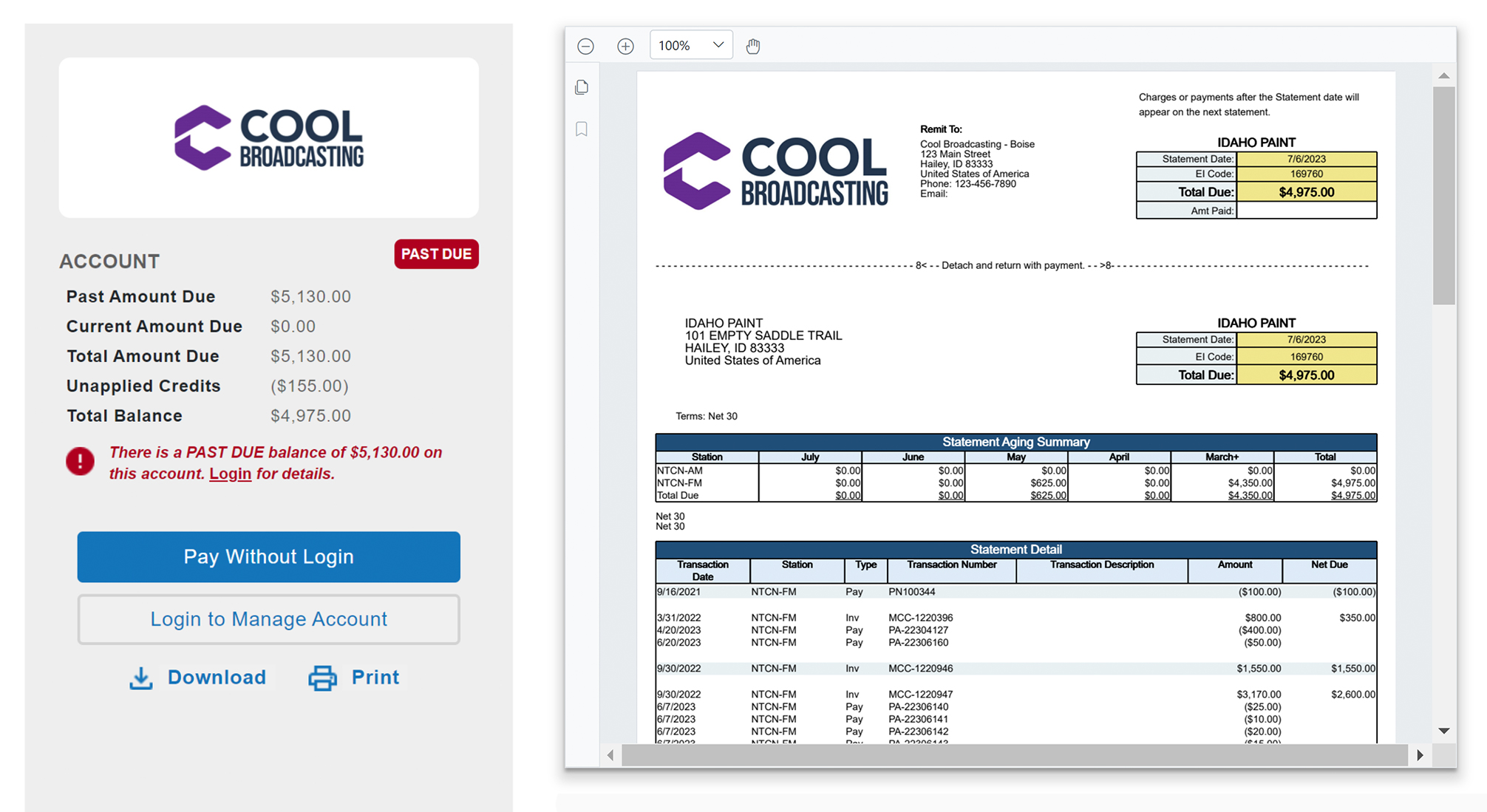
Updated payment options
By clicking through their eStatement email, advertisers can review their full statement details and choose to log in to their account or pay quickly using guest checkout.
- 6Full eStatement displayed.
- 7See past, current and total amounts due on the account.
- 8Unapplied credits and total balance displayed.
- 9New Pay without login feature allows advertisers to pay without logging in to the PayNow Advertising Portal.
- 10Log in to my account is still available.
Screen 3 of 5
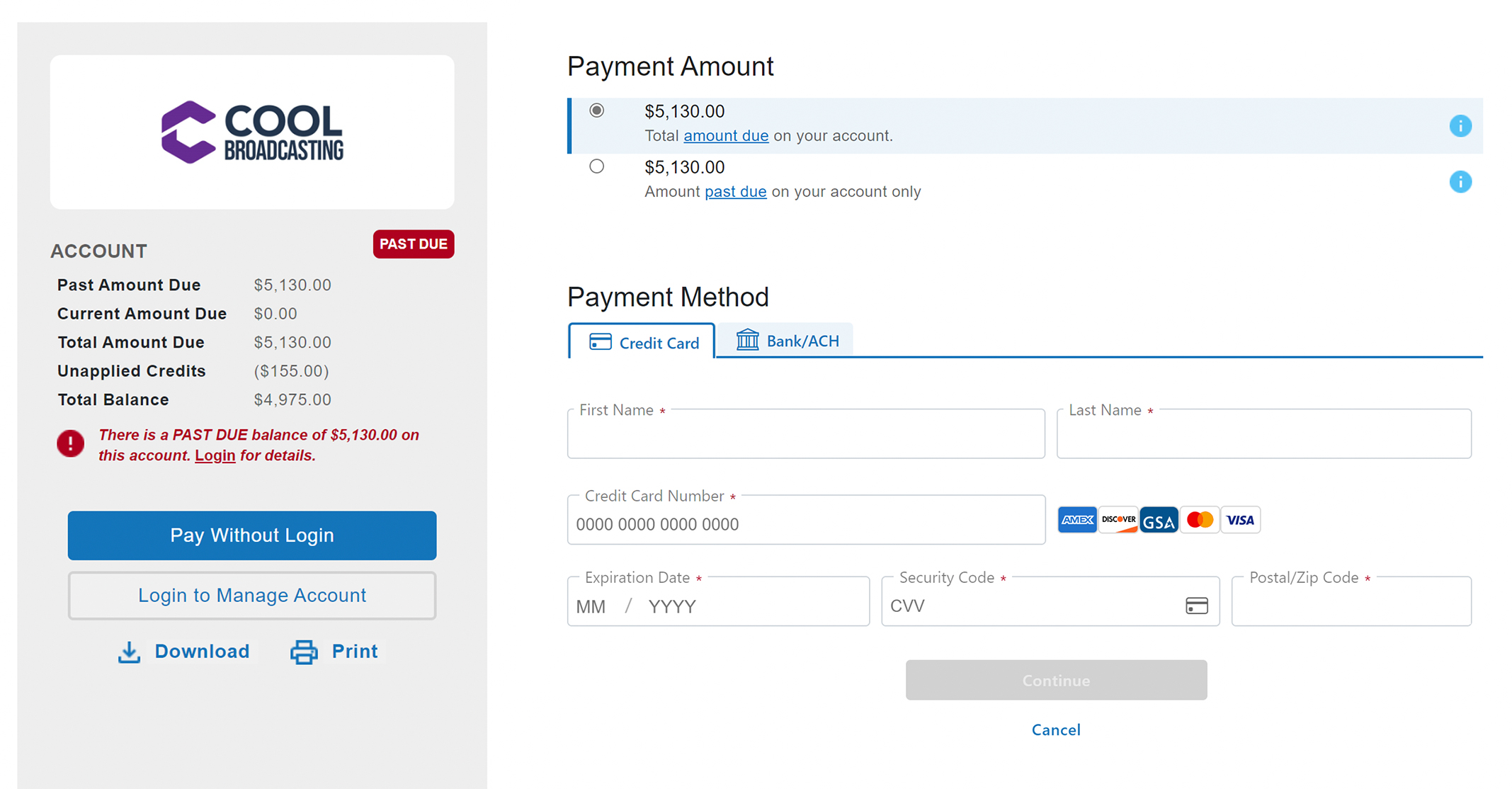
Pay without logging in
Your customers can continue as guests and make payments quickly on their eStatement balances.
- 11Select payment amount: customers can choose to pay their total amount due or their past-due account balance.
- 12Choose payment method: invoices can be paid using any payment method accepted in your PayNow Merchant Processor.
- 13Download eStatement: advertisers and agencies can download a copy of their eStatement directly from the portal.
Screen 4 of 5
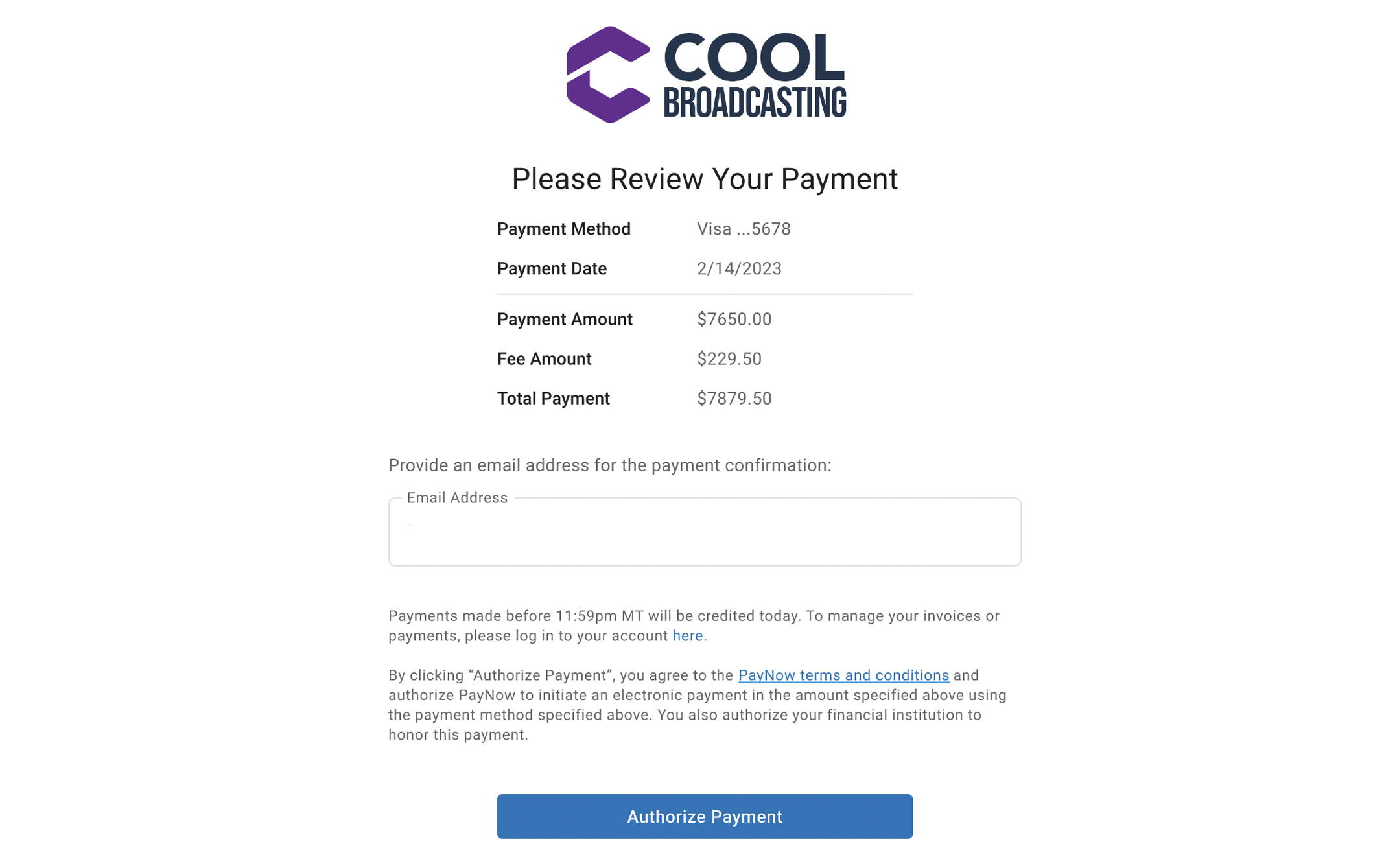
Review the payment
- 14Payment review: customers can review their payment before submitting.
Screen 5 of 5
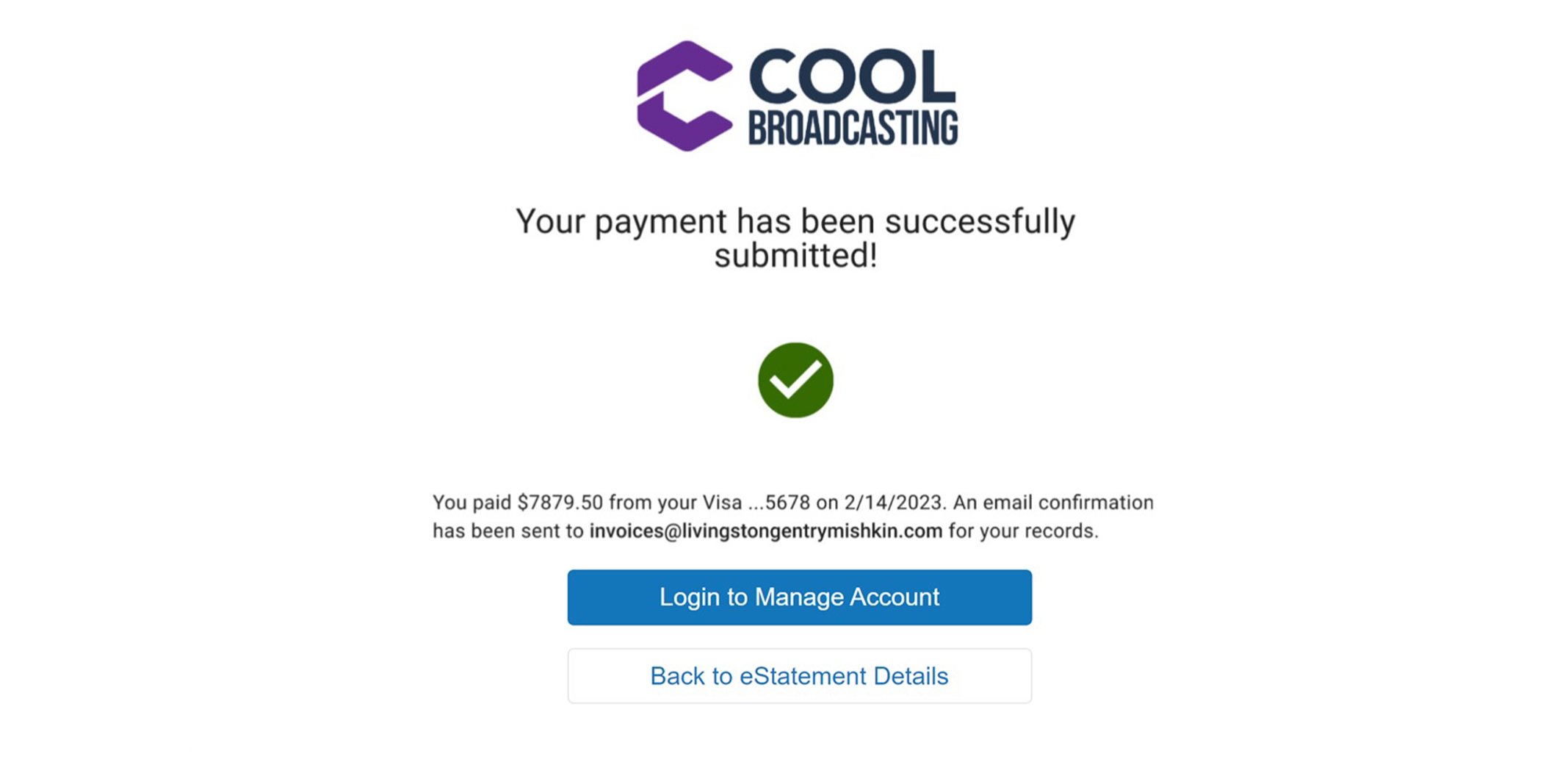
Confirm the payment
- 15Payment confirmation: customers are notified on screen when their payment has been submitted. An email confirmation is sent to the email address on file for their account.
You can learn more about the new guest checkout feature for eStatements in the release notes.