
 PayNow feature tour
Cash-in-advance requests are simple and secure with pre-payments
PayNow Merchant Portal customers have exclusive pre-payment features to create, send, monitor and collect advance payments from advertisers. Scroll down to see the features and how they work.

Screen 1 of 6
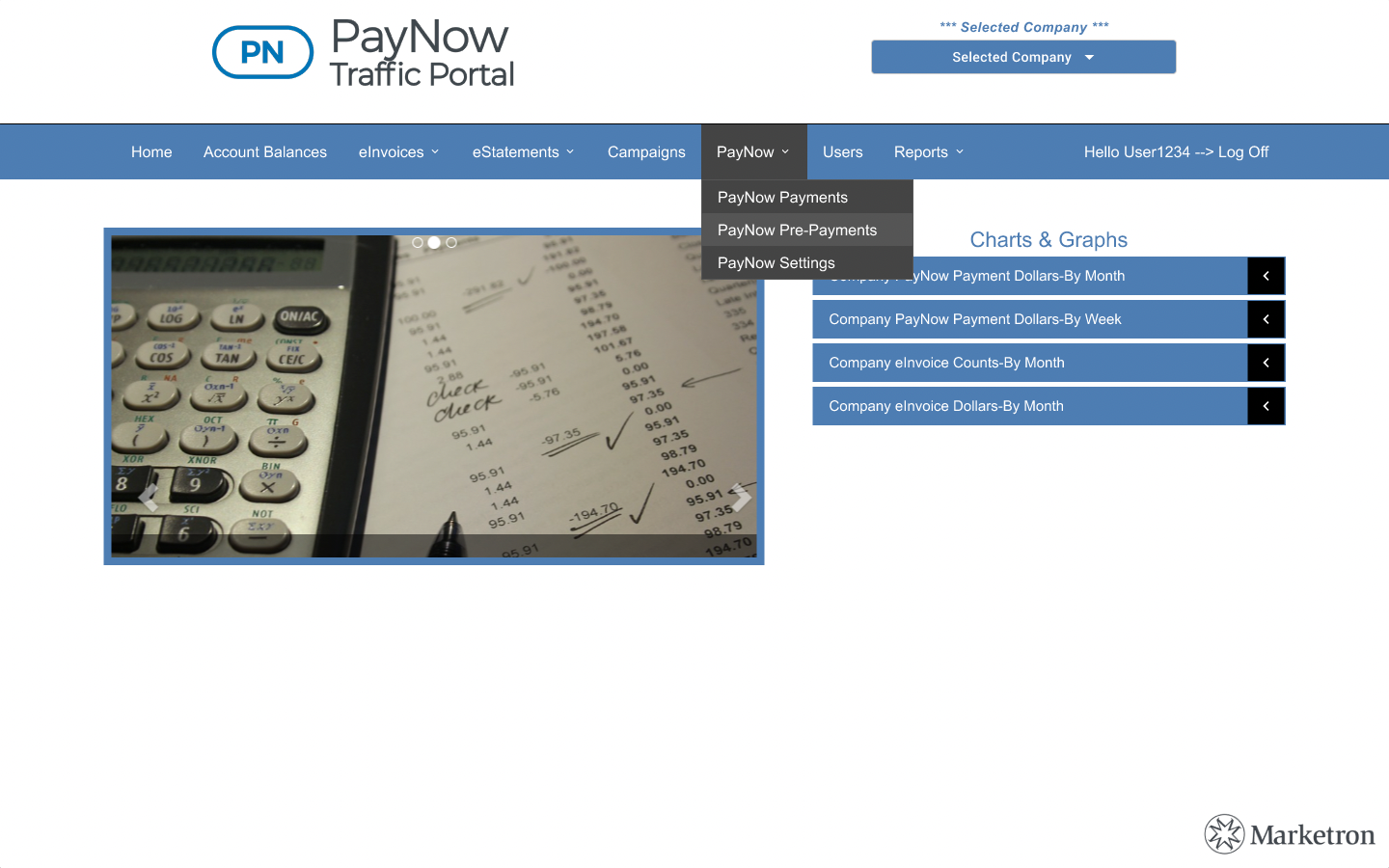
Find pre-payments
- 1Pre-payments are available in the PayNow Traffic Portal.
Screen 2 of 6
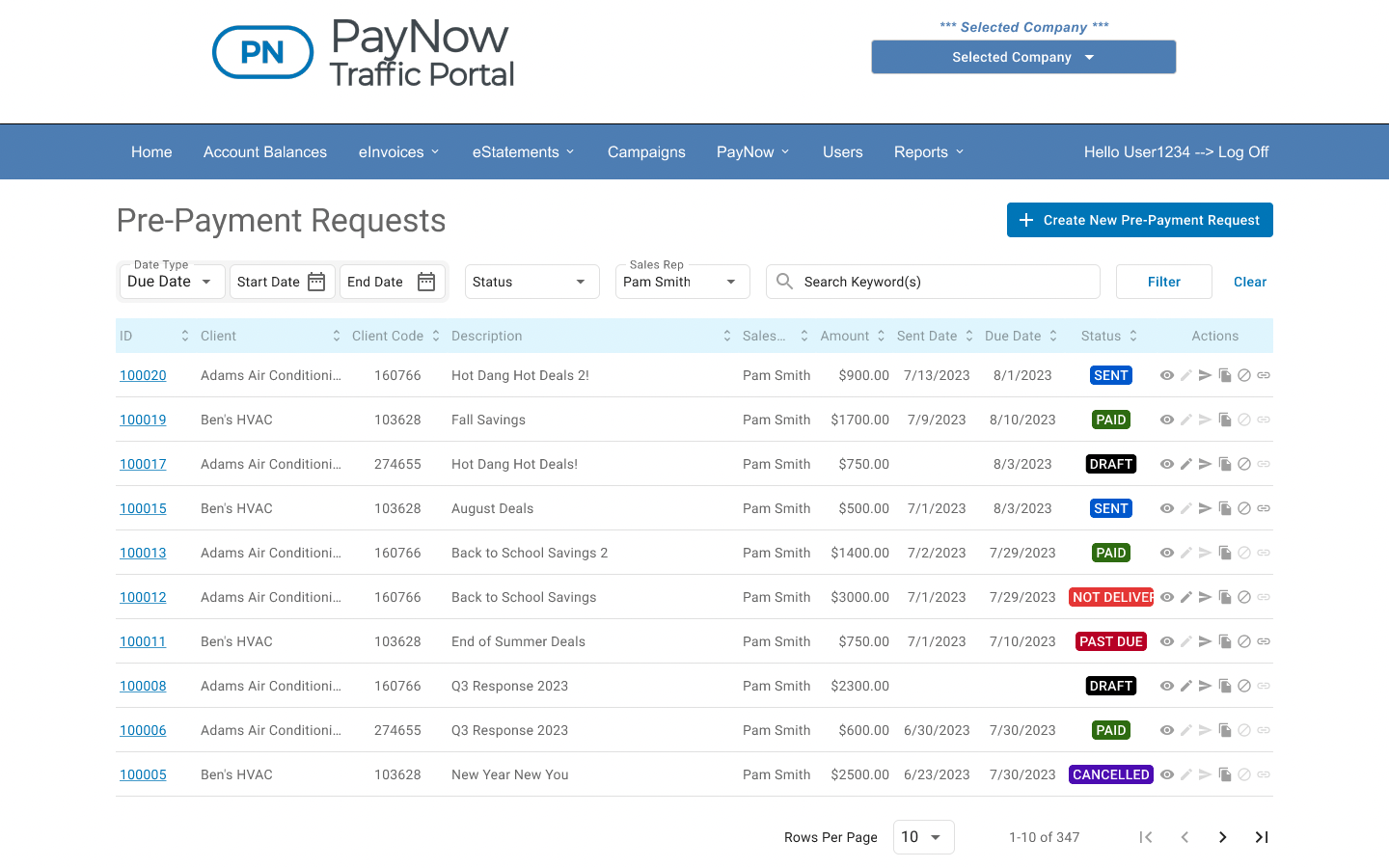
See every request at a glance
- 2See all pre-payment requests at a glance.
- 3Filter by date type, date range, status or salesperson.
- 4Use keywords to search for specific requests.
- 5Click to create a new pre-payment request.
Screen 3 of 6
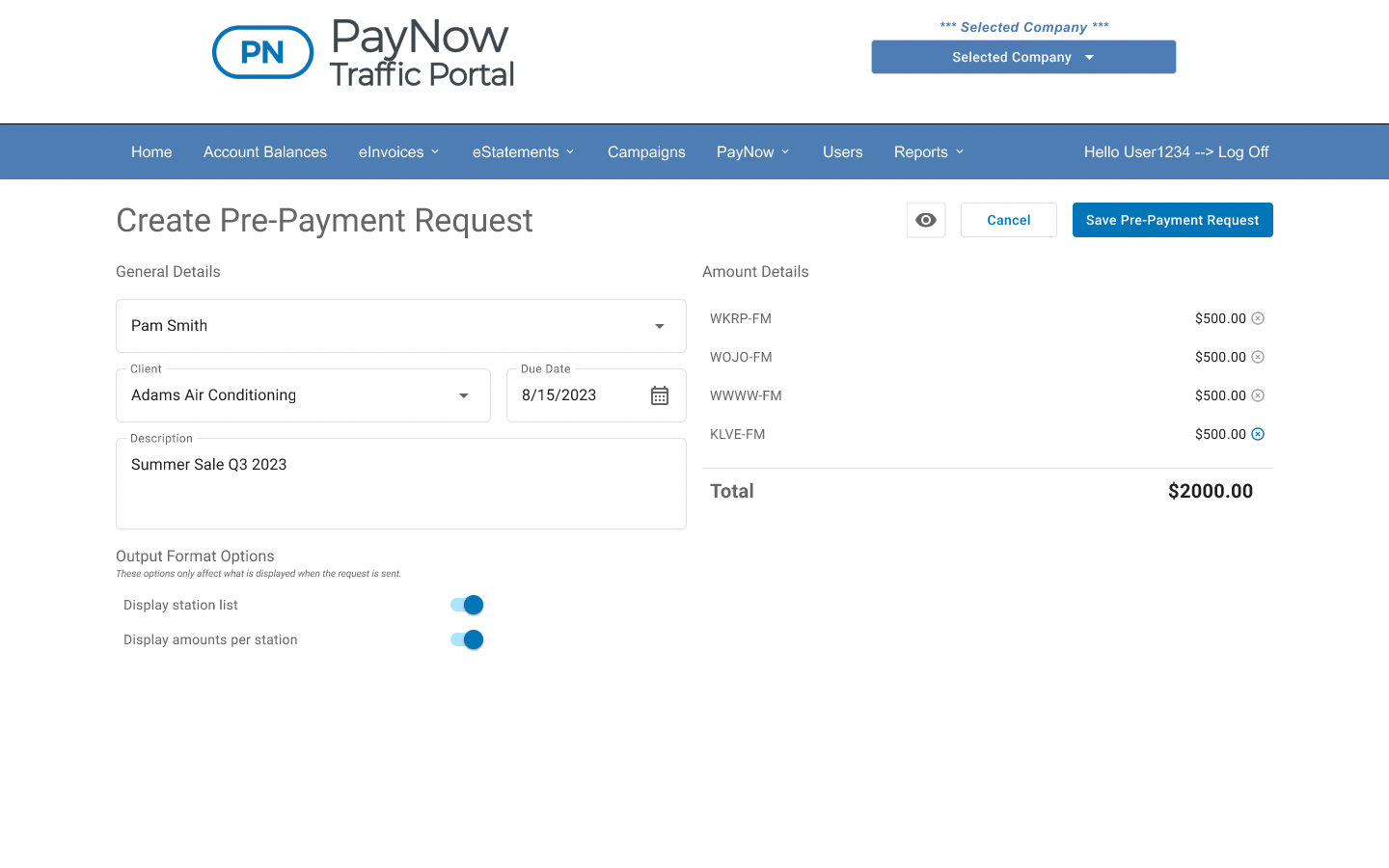
Create a request
- 6Quickly choose the salesperson, client and due date for your pre-payment request.
- 7Add a description so advertisers can identify the request easily.
- 8Output format options let you decide what to display on the pre-payment invoice.
- 9Choose stations and amounts for your pre-payment request.
Screen 4 of 6
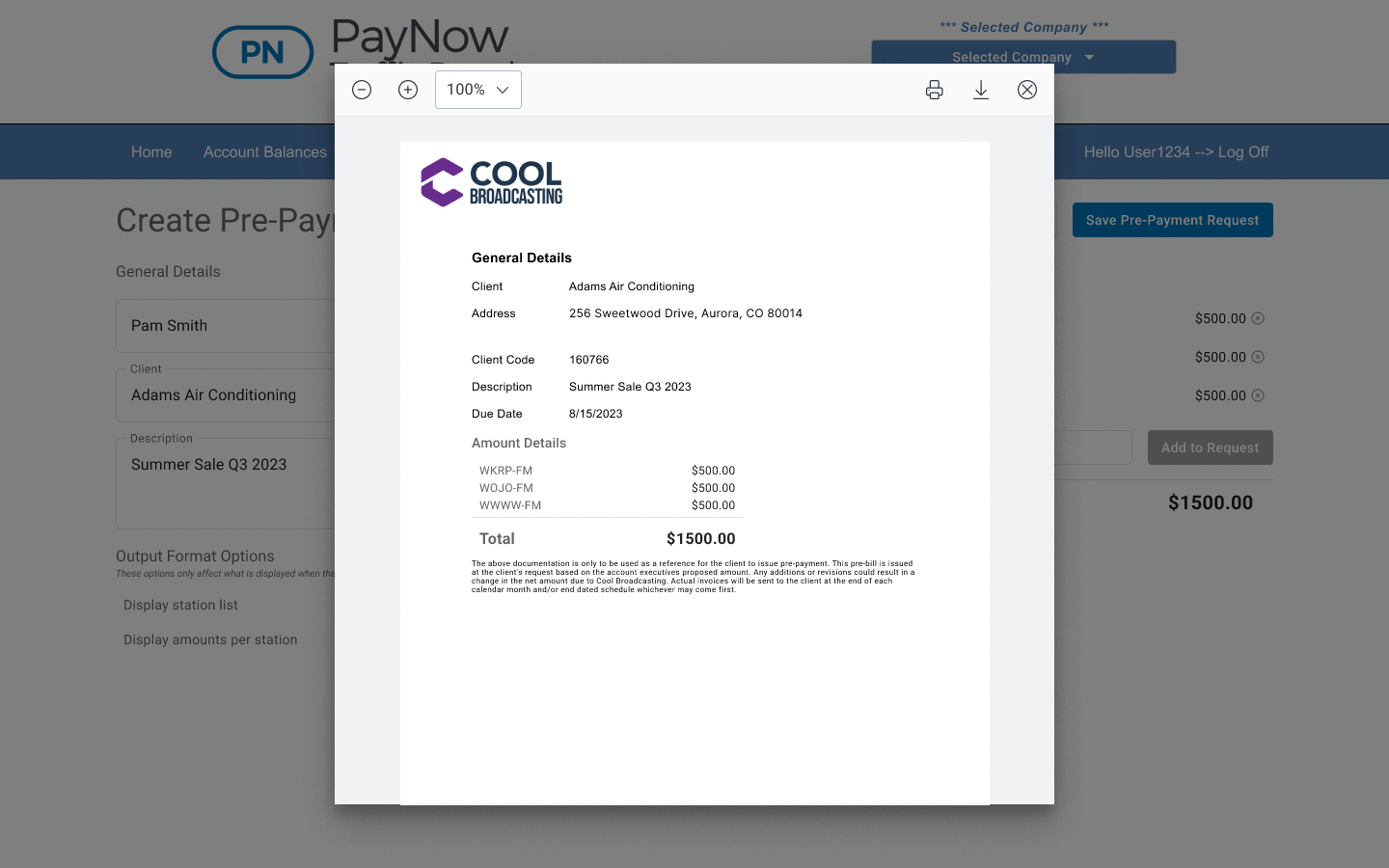
Preview the pre-payment invoice
- 10Include your company logo.
- 11The full pre-payment invoice includes client information, request description, due date and your chosen amounts.
Screen 5 of 6
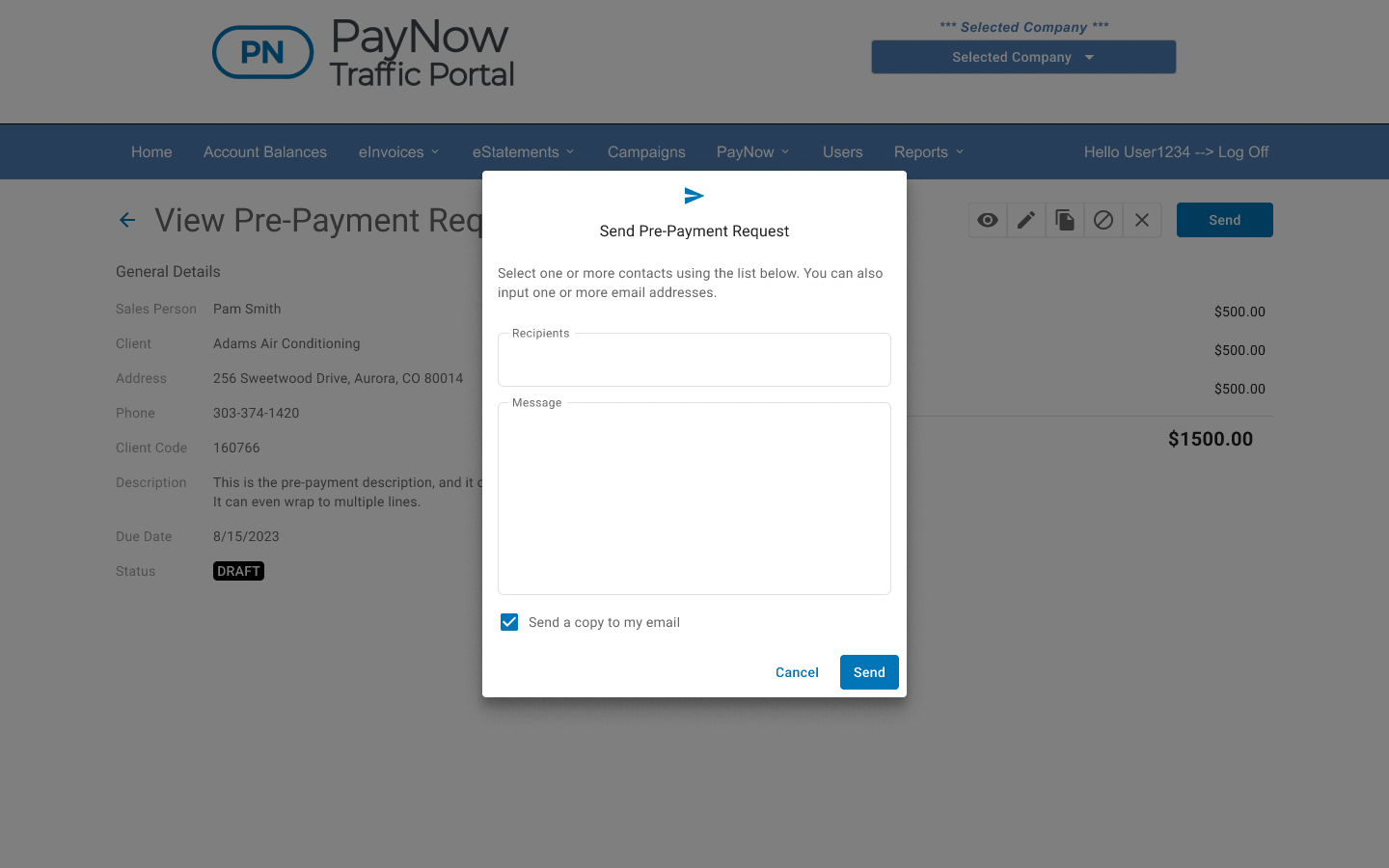
Send it
- 12Send pre-payment requests directly from the PayNow Traffic Portal.
- 13Include multiple recipients.
- 14Add an optional custom message.
- 15Send a copy to your own inbox.
Screen 6 of 6
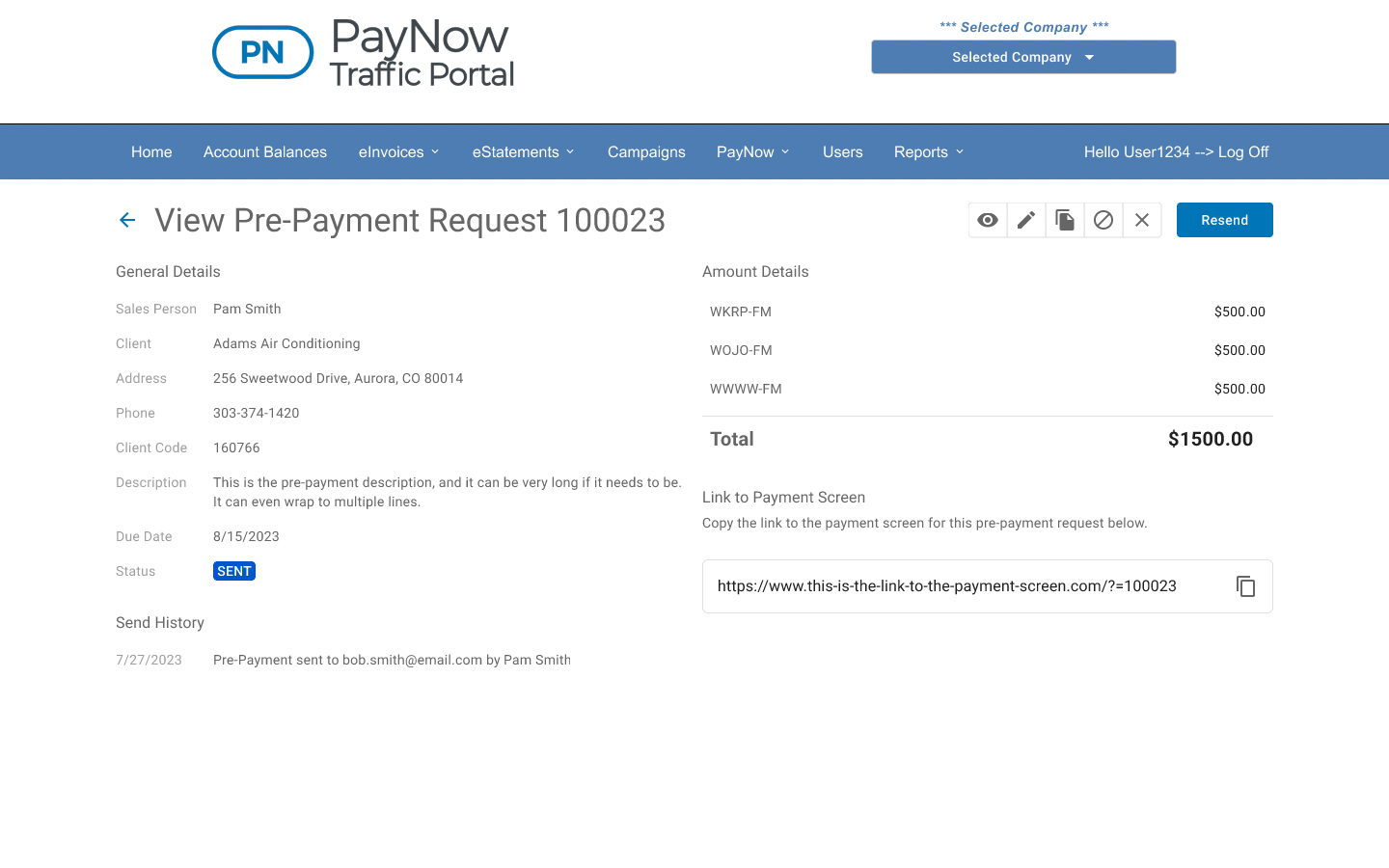
Track the status
- 16Status information is updated automatically.
- 17See the history of your pre-payment request.
- 18Copy and share links are available.